Debounce vs throttle
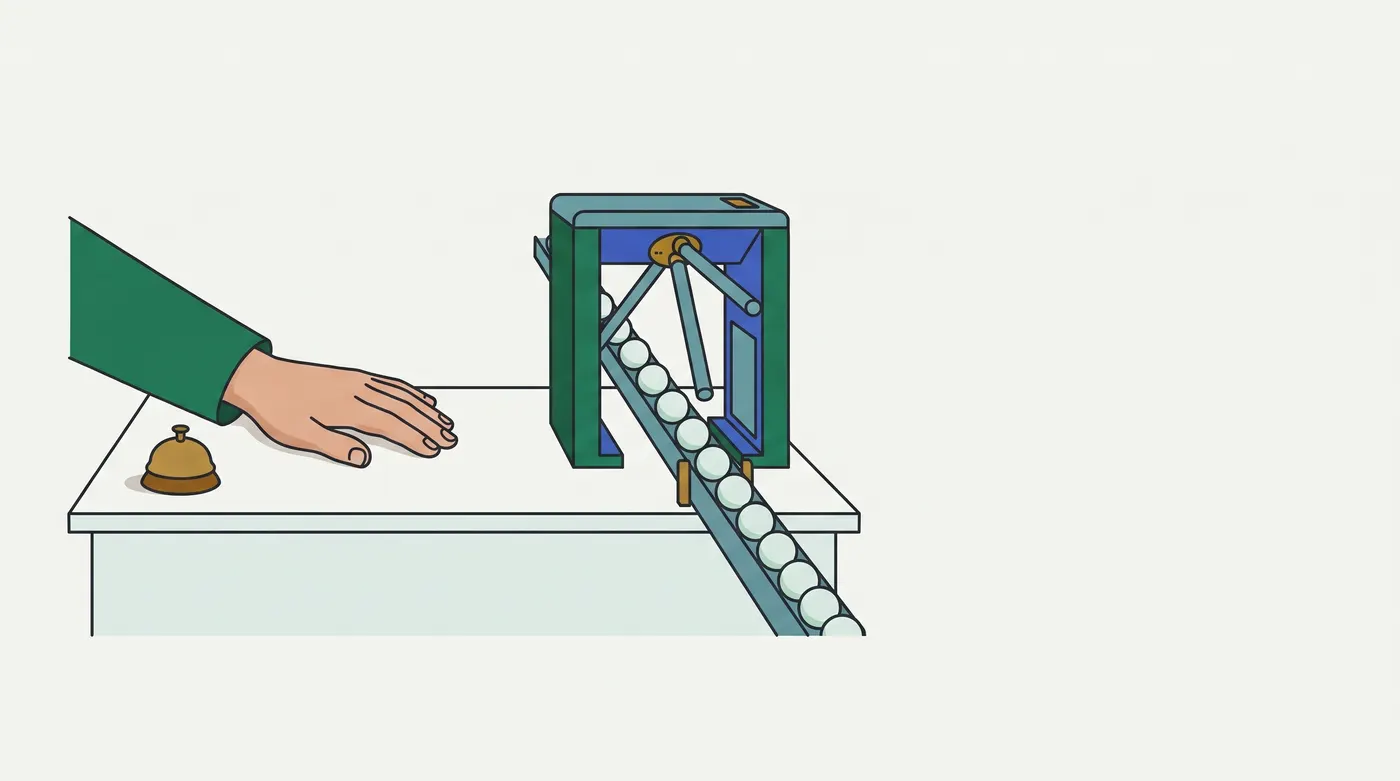
Debounce waits for quiet and fires once; throttle fires on a steady beat while the noise continues. They answer different questions.
Predict first
Before you read: predict
A candidate types into ExamHall's AnswerEditor. Keystrokes arrive at t = 0, 300, 600 and 900 ms, and the draft grows a, ab, abc, abcd. Each keystroke calls autosave(draft), where autosave = debounce(saveAnswer, 800) with default options (trailing edge only). Nothing else happens before t = 2000 ms.
Which saves reach the server?
The 30-second version
Debounce restarts its timer on every call and runs once, with the latest arguments, after wait ms of silence. Throttle runs at most once per wait ms while calls keep coming. Both keep a timer id and the latest arguments in a closure. leading runs at a burst's start; maxWait caps a debounce's delay; flush runs the pending call now.
Debounce waits for quiet and fires once; throttle fires on a steady beat while the noise continues. They answer different questions.
Step through the code
Trace of the opening question
Play options
Ready: press Play or step with Next frame
Row 1 of 5 · t (ms) 0
Starting row · computed by comparing each row with the one before
- t (ms): 0
- Call:
autosave("a") - Pending timer: fires at 800
- Saved args:
"a"
Rule · step 2
Each debounced call clears the pending timer and schedules a new one wait ms out, so it fires only after wait ms without calls.
Rule · step 3
Each call overwrites the saved arguments. When the timer fires (the trailing edge), fn runs once with the latest arguments.
- t (ms)
- 0
- Call
autosave("a")- Pending timer
- fires at 800
- Saved args
"a"- Save
- Step
- 2, 3
| t (ms) | Call | Pending timer | Saved args | Save | Step |
|---|---|---|---|---|---|
| 0 | autosave("a") | fires at 800 | "a" | 2, 3 | |
| 300 (changed) | autosave("ab") (changed) | cleared; fires at 1100 (changed) | "ab" (changed) | 2, 3 | |
| 600 (changed) | autosave("abc") (changed) | cleared; fires at 1400 (changed) | "abc" (changed) | 2, 3 | |
| 900 (changed) | autosave("abcd") (changed) | cleared; fires at 1700 (changed) | "abcd" (changed) | 2, 3 | |
| 1700 (changed) | timer fires (changed) | none (changed) | cleared (changed) | "abcd" (changed) | 3 |
Space plays or pauses · ←/→ one row · Home/End first/last
Rows come from the pack's own trace table.
How it works
Step 1 of 8
fn returns a new function whose closure holds a timer id, the latest arguments and, for throttle, the last run's time.See it run
Not in this run
Analogy: A broadcast control room
A reporter keeps phoning in corrections to an on-screen caption. The director airs the caption only after 5 seconds pass with no new correction. The stock ticker at the bottom of the screen refreshes every 10 seconds, whatever the number of trades.
| In the control room | In the code |
|---|---|
| each new correction restarts the director's 5-second wait | each call clears and restarts the timer (step 2) |
| only the newest wording goes on air; older ones are thrown away | saved arguments are overwritten; the latest run (step 3) |
| the "air the first correction at once, then wait for quiet" rule | leading: true (step 4) |
| the producer's rule "whatever happens, air something every 30 seconds" | maxWait (step 4) |
| the ticker shows the newest price on a fixed beat while trades never stop; trades in between are not replayed | throttle: one run per window, intermediate calls dropped (step 5) |
| before a cut to an advert break, the director airs the pending caption now, or kills it | flush() / cancel() (steps 6–7) |
In real terms: debounce runs fn once, with the latest arguments, after calls stop for wait ms; throttle runs it at most once per wait ms while calls continue.
Breaks down when: a director would still air the caption if the studio lost power; a timer in a closed tab never fires. Wrong inference: "the trailing save always happens eventually." It does not, which is why step 7 exists.
Contrasting case: a switchboard that relays every call 5 seconds late. Nothing merges, and four corrections produce four broadcasts. That is a plain setTimeout per call, not a debounce.
Examples, run for real
Every script uses limiters.mjs and a mock clock stepped 1 ms at a time, so every timestamp is exact.
4.1 ExamHall: autosave with flush on blur and on hide
EXH-371 was lost answer text: a candidate typed, then switched tab before the 800 ms quiet period ended, and the last words were never saved. MR !747 added the flush.
const saveAnswer = (draft) =>
  fetch('/attempts/a-7/answers/q4', { method: 'PUT', body: draft, keepalive: true }); // survives page unload
const autosave = debounce(saveAnswer, 800);
editor.addEventListener('blur', () => autosave.flush());          // candidate leaves the field
page.addEventListener('visibilitychange', () => {
  if (page.visibilityState === 'hidden') autosave.flush();         // the tab may never run another timer
});
// `page` stands in for document, `editor` for the <textarea>; the script's fetch is a stub that logs its request
type([[0, 'Dem'], [250, 'Demand'], [500, 'Demand fa'], [700, 'Demand falls']]);
type([[2000, 'Demand falls as'], [2200, 'Demand falls as p']]);
advanceTo(2400); editor.dispatchEvent(new Event('blur'));
type([[3000, 'Demand falls as prices'], [3200, 'Demand falls as prices rise']]);
advanceTo(3400); page.visibilityState = 'hidden'; page.dispatchEvent(new Event('visibilitychange'));
editor.dispatchEvent(new Event('blur'));                            // a second flush has nothing to send
t= 700 last key; pending=true
t=1500 PUT /attempts/a-7/answers/q4 "Demand falls" keepalive=true
t=2200 last key; pending=true
t=2400 blur (clicks the question list)
t=2400 PUT /attempts/a-7/answers/q4 "Demand falls as p" keepalive=true
t=3200 last key; pending=true
t=3400 tab hidden
t=3400 PUT /attempts/a-7/answers/q4 "Demand falls as prices rise" keepalive=true
t=3400 after both flushes; pending=false
t=5000 end: no saves at 3000 or 4000 (both flushed timers were cleared)Four keystrokes cause one save, 800 ms after the last (steps 2–3). Blur and the hidden tab each save the pending draft at once and clear its timer, so nothing is sent at 3000 or 4000; the second flush sends nothing (steps 6–7). keepalive lets the PUT finish if the tab then closes.
4.2 ExamHall: the proctor console's scroll handler
The proctor console recomputes which candidate tiles are visible. A 2.5 s scroll sends 26 events, one every 100 ms. The same stream is run through four limiters:
for (let t = 0; t <= 2500; t += 100) { advanceTo(base + t); onScroll(t * 2); } // scrollY = 2 px per msthrottle 1000 (leading+trailing) 4 calls 0:y0 1000:y1800 2000:y3800 3000:y5000
throttle 1000 {leading:false} 3 calls 1000:y1800 2000:y3800 3000:y5000
debounce 1000 1 calls 3500:y5000
debounce 1000 {leading:true} 2 calls 0:y0 3500:y5000Throttle updates the tiles during the scroll (step 5); debounce updates them only 1 s after it stops (step 2). For a live view that is the whole difference. The final position (y5000) always arrives, because both keep the latest arguments.
4.3 Proof domain, catalog: search-as-you-type with maxWait and cancel
A shopper types wireless headph, one key every 200 ms (keys at 0…2800). A 300 ms quiet period never happens until they stop.
run('debounce 300', {});
run('debounce 300 {maxWait:1000}', { maxWait: 1000 });
// then: type "u", "us", "usb" at 0/100/200, clear the box at 350 and call search.cancel()
debounce 300 3100:"wireless headph"
debounce 300 {maxWait:1000} 1000:"wirel" 2000:"wireless h" 3000:"wireless headph"
cleared at 350 + cancel() sent: []Plain debounce shows no results for 3.1 s. maxWait forces one request per second during the burst (step 4). cancel() drops the pending "usb" query, so an emptied box never fills with stale results (step 6).
Picture it
Try it
Answer first, then check. Nothing is saved.
Question 1 of 6
A checkout's Pay button runs debounce(charge, 1000, { leading: true, trailing: false }). An impatient shopper clicks at t = 0, 600, 1200 and 1800 ms.
How many charges, and when?
Question 2 of 6
a chat client sends typing to the server no more than once every 2 s while the user types, and stopped 3 s after the last key.
Which limiter produces each event?
Question 3 of 6
a chat client sends typing to the server no more than once every 2 s while the user types, and stopped 3 s after the last key.
Using those two limiters, a user presses a key every 250 ms from 0 to 4750 ms.
When is each event sent?
Question 4 of 6
A price filter's slider sends input every 50 ms while dragged, from £100 at 0 ms to £42 at 1450 ms. The handler is throttle(fetchResults, 500, { trailing: false }). The results stop at £60 instead of £42.
Which one change shows £42 and still updates the results during the drag?
Question 5 of 6
A seat map's Hold button runs holdSeat = debounce(hold, 800, { leading: true }), so that a tap holds the seat at once. A fan who taps once sends one hold request. A fan who double-taps, at t = 0 and 200 ms, sends two, and the box office sees a duplicate hold.
Which is the bug?
Question 6 of 6
A creator page's tip button calls tip(1) on each tap, with tip = throttle(addTip, 1000); addTip(n) posts +n, and the server accepts at most one request per second. A fan taps 7 times, every 150 ms from t = 0 to 900 ms, and the server's total is 2.
Which version makes the total 7?
Go deeper
Pro tips
- Test timing with
node:testmock timers; step 1 ms when callbacks read the clock.mock.timers.enable({ apis: ['setTimeout', 'Date'] }), thentick(). When: unit-testing a debounce or throttle without real waits (step 2, step 5). Verify: a singletick(1000)makes an 800 ms callback seeDate.now() = 1000; 1000 ×tick(1)makes it see800. Mock timers are stable since Node 23.1.0 (Node docs,Class: MockTimerschanges). - Measure the raw event rate before you choose
wait: in the DevTools console, runmonitorEvents(window, 'scroll'), scroll for one second and count the logged lines. ThenunmonitorEvents(window). When: picking a throttle interval for scroll, resize or pointer events (step 5). Verify: one Console line per scroll event; compare the count with your throttled handler's calls. Status: DOC (tips bank DEV-06, console/utilities); not run in this session.
Source
- MDN, Debounce (Glossary): https://developer.mozilla.org/en-US/docs/Glossary/Debounce · and Throttle (Glossary): https://developer.mozilla.org/en-US/docs/Glossary/Throttle · fetched 2026-09-27; both pages exist. Debounce covers the leading and trailing edges; Throttle contrasts a maximum rate with waiting for calls to stop. Valid as of 2026-09-27.
- MDN, Document: visibilitychange event: https://developer.mozilla.org/en-US/docs/Web/API/Document/visibilitychange_event · fetched 2026-09-27. It states that the transition to
hiddenis the last event the page can reliably observe; its example sends data there withnavigator.sendBeacon. Valid as of 2026-09-27. - MDN, RequestInit (
keepalive): https://developer.mozilla.org/en-US/docs/Web/API/RequestInit · fetched 2026-09-27. Withkeepalive: truethe browser does not abort the request if the page unloads; unlikesendBeaconit allows methods other than POST; the body is limited to 64 KiB. Valid as of 2026-09-27. - Node.js docs, test runner,
Class: MockTimers(v24.xdoc/api/test.md), fetched 2026-09-27: changes entry v23.1.0, "The Mock Timers is now stable." (PR 55398). Supports pro tip 1. Valid as of 2026-09-27.
Checked against the tools and docs as of 2026-09-27.